

Creating music in Sibelius 3
These pages refer solely to the upgrade from Sibelius 1.x and 2.x to Sibelius 3. All the improvements and many more are incorporated in the more recent upgrade to Sibelius 6.
Starting a score
When you run Sibelius 3, it offers you a list of the most common tasks to choose from - create a new score, open a recent file, scan, etc. You can start a new score entirely from a single, easy-to-use dialog - select instruments, key & time signatures, title, composer, tempo, etc. You can also choose the text fonts and house style (e.g. handwritten), and even create a title page - all from the same dialog.
 Starting a score: View
movie » (Flash, 411K)
Starting a score: View
movie » (Flash, 411K)
Smoothing
A new display setting in Sibelius 3 smooths the edges of lines to make music even clearer on the screen.
Top: with smoothing, bottom: without smoothing:
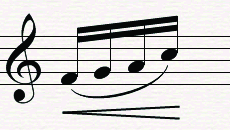
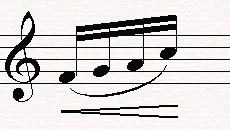
View Flash demo » (330K)
Instruments
When creating instruments, you can use different standard instrument orders depending on the type of music (e.g. band, orchestra, jazz). And you can also reorganize instruments into any order later.
There are over 60 new instruments - everything from anvils to Hawaiian steel guitar. Plus various new manuscript papers & extensively revised bands and orchestras, including a film orchestra designed by The Simpsons composer Alf Clausen.
Changing instrument order: view
movie » (Flash, 360K)
Live Flexi-time
Flexi-time now records two voices on each staff at once, making it much quicker to write polyphonic music.
Flexi-time in two voices: view
movie » (MOV, 962K)
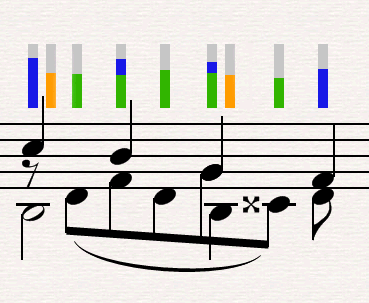
View & edit Live Flexi-time dynamics using colored bars
Flexi-time now records the exact dynamic and timing of every note (rather like a sequencer), to capture every nuance of your performance. The music still appears as clean, quantized notation. You can then play your original performance with complete fidelity using Live Playback, or make fine adjustments to the timing and dynamic of every note.
Shadow notes
Inputting pitches with the mouse used to be a bit of a hit-and-miss affair, particularly if they were on leger lines. But Sibelius 3 shows you a ghostly 'shadow' note before you click, so you can see exactly where the note will go. What's more, you can now put notes anywhere in the bar just by pointing and clicking - you don't need to create rests at the start of the bar first.
Shadow notes: view
movie » (Flash, 330K)
The screen
Drag a rectangle with your mouse to zoom into that area. Or zoom in and out - and even navigate around the whole score - using your mouse's scroll wheel (on Windows). We've also improved how the screen moves when you're editing and paging through a score.
Plus there are new voice buttons on the keypad, so you can leave the Properties window switched off most of the time.
Zoom: view movie » (Flash, 422K)
School features
Students find Sibelius so much fun to use in the classroom that they sometimes play around with it instead of getting on with their work! So now you can switch off all of the advanced features with a couple of clicks, leaving only the main things students need for coursework.
You can also turn individual features on/off, and create your own sets of features for different classes - e.g. if you're teaching how to transpose by hand, you can stop students transposing it automatically!
School features: view
movie » (Flash, 240K)
Focus on Staves
When writing for orchestra, band or other large ensemble, there are so many staves that it's easy to get lost. So we've added two new features to help.
Focus on Staves shows just the staves you specify and hides all the rest, so you can work on just (say) the brass. The hidden staves still play back, so you can also use this to hide realizations in Sibelius or Scorch, such as a lead sheet that plays with a full accompaniment even though only the melody is visible.
Also, you can ask Sibelius to number every bar and label every staff, so you can easily see where you are even when the instrument names are off the screen.
Focus on staves: view
movie » (Flash, 600K)
Quick links
Take a tour
A comprehensive guide to the new features in Sibelius 3
